
Download 3D Orange Animated Cursors – Free Windows Cursor Pack, Customization Tool, Animated Mouse Pointers
Overview
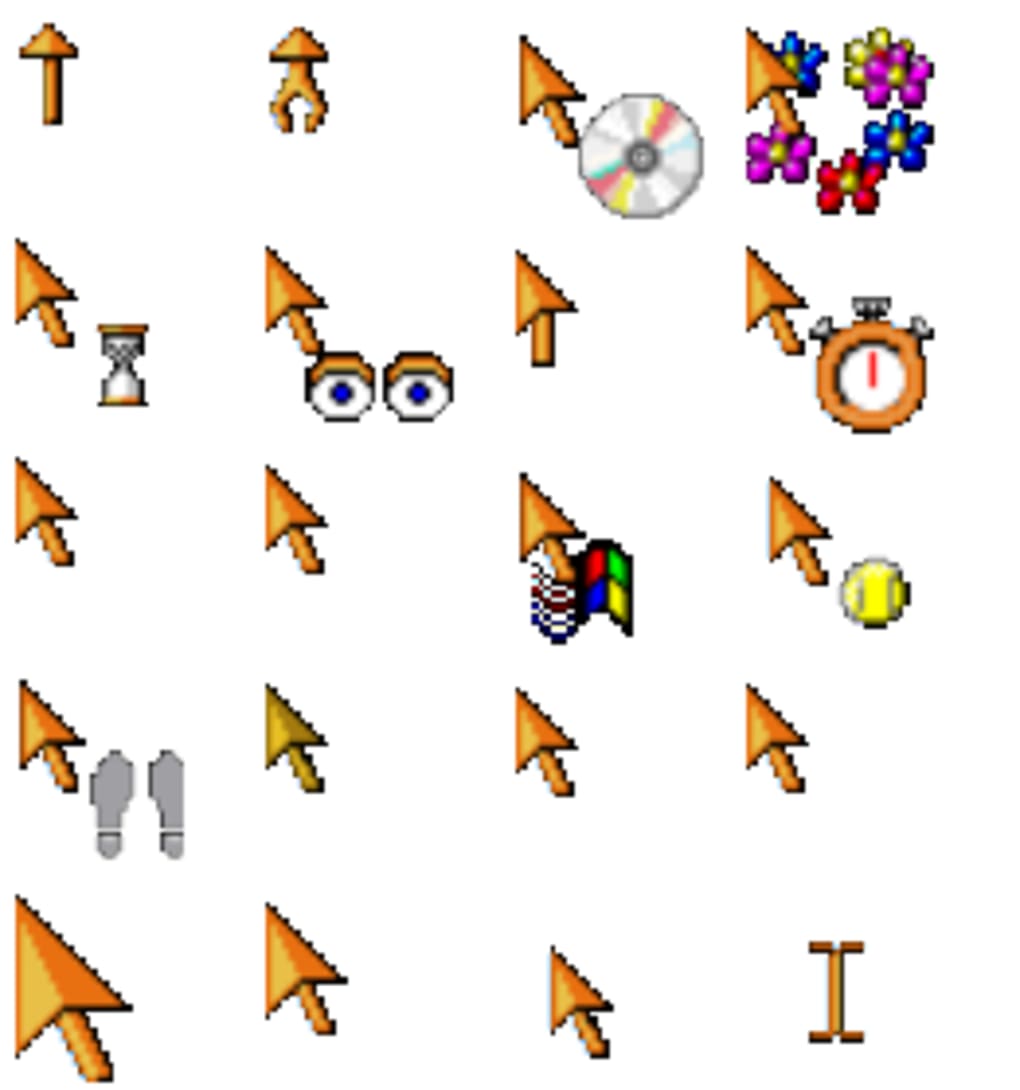
3D Orange Animated Cursors is a lightweight, free desktop‑customization tool created by W. J. Harnden that instantly transforms the look of your mouse pointer.
With more than sixty vibrant orange cursor designs, the collection adds a splash of energy to any Windows environment, from the classic Windows 95 interface to modern builds. Since its debut in 2011, the software has amassed over 184,000 downloads and remains popular in the United States, Slovenia, and Denmark. The current version (2.0) was last updated on 26 May 2011, and it continues to be distributed as a compact .exe that requires virtually no disk space.
Because the package targets the “Desktop customization – Cursors” category, it integrates seamlessly with Windows’ built‑in cursor manager, allowing users to preview, apply, or revert to the default set with a few clicks. Whether you’re a power user who loves to tweak every visual element or a casual user looking for a quick way to brighten up your workspace, 3D Orange Animated Cursors offers a free, secure, and straightforward solution. The software is English‑only, supports Windows 95 through Windows 10, and does not interfere with other system components, making it a safe addition to any PC.
Key Features of 3D Orange Animated Cursors
- Sixty+ vibrant orange cursors – Each cursor is animated in 3D, delivering smooth motion and a modern feel.
- Lightweight installer – The entire package is under 2 MB, ensuring a quick download and minimal impact on storage.
- Full Windows compatibility – Works with Windows 95, 98, ME, 2000, XP, Vista, 7, 8, 8.1, and 10.
- One‑click apply – Integrated preview window lets you test each cursor before setting it as the default.
- Secure and ad‑free – No hidden fees, no bundled software, and the installer is digitally signed.
- Customizable animation speed – Users can adjust the frame rate to suit low‑end or high‑end hardware.
- Backup & restore – The program automatically creates a backup of your original cursor set, enabling an instant revert.
- Easy distribution – The cursor files are packaged in standard .cur and .ani formats, allowing manual installation on other PCs.
These features combine to make 3D Orange Animated Cursors a practical choice for anyone who wants to personalize their desktop without compromising system performance. The animated nature of the cursors is especially appealing to gamers and creative professionals who appreciate subtle visual cues. Because the cursors are stored in native Windows formats, they are fully compatible with other third‑party cursor managers, giving you the flexibility to mix and match designs from different packs.
Installation, Usage Instructions, and Compatibility
Installing 3D Orange Animated Cursors is intentionally straightforward. Follow these steps to get the orange cursors up and running on your PC:
- Download the installer – Click the “Download” button on the official page or a trusted software repository. The file is named
3D_Orange_Animated_Cursors_v2.0.exe. - Run the executable – Double‑click the file. If Windows prompts for permission, select “Yes” to allow the installer to make changes.
- Accept the license agreement – The dialog presents a short EULA; click “I Agree” to continue.
- Choose an installation folder – The default location (
C:\Program Files\3D Orange Animated Cursors) works for most users. You can change it if you prefer a custom path. - Complete the setup – Click “Install” and wait for the progress bar to finish. The installer will automatically create a backup of your current cursor scheme in the same folder.
- Launch the application – After installation, a shortcut appears on the desktop and in the Start menu. Open the program to see the preview grid.
- Select and apply – Click any orange cursor to preview it. Use the “Apply” button to set it as the system default. The change takes effect immediately across all open applications.
- Revert if needed – Should you wish to return to your original cursors, click the “Restore Backup” button in the settings tab.
The software supports Windows 95, 98, ME, 2000, XP, Vista, 7, 8, 8.1, and 10, making it one of the most broadly compatible cursor packs available. Because it relies only on the native Windows cursor API, there are no additional runtime dependencies such as .NET or Visual C++ redistributables. This also means that the tool runs efficiently on older hardware, with negligible CPU or RAM usage during operation.
For users who prefer manual installation, you can copy the individual .cur and .ani files from the installation folder to C:\Windows\Cursors and then use the Windows “Mouse” control panel to assign them. This method is useful in corporate environments where software installation rights are restricted. Regardless of the approach, the process is designed to be secure, with the installer digitally signed to prevent tampering.
Pros, Cons, and Frequently Asked Questions
Pros
- Completely free with no hidden costs or advertisements.
- Over sixty high‑quality orange animated cursors add a unique visual flair.
- Very small download size and minimal system resource consumption.
- One‑click installation and easy preview‑apply workflow.
- Automatic backup of the original cursor set for hassle‑free restoration.
- Works across a wide range of Windows versions, including legacy systems.
Cons
- Lacks a built‑in theme manager for mixing orange cursors with other color packs.
- No direct support for macOS, Linux, Android, or iOS platforms.
- Last official update was in 2011, so future Windows updates may affect compatibility (though none reported so far).
- Only English language interface; no localization for non‑English speakers.
FAQ – 3D Orange Animated Cursors
Is 3D Orange Animated Cursors safe to download?
Yes. The installer is digitally signed and distributed from reputable sites. It contains no malware, spyware, or adware.
Can I use these cursors on Windows 11?
Although the official support list stops at Windows 10, the cursors are standard .ani files and work perfectly on Windows 11.
Do I need administrator rights to install the program?
Yes, because the installer writes to the Program Files directory and registers the cursors with the system.
Can I customize the animation speed of the cursors?
The application includes a slider in the settings tab that lets you increase or decrease the frame rate, which is useful for older PCs.
Is there a way to create my own orange‑themed cursor using this pack?
While the program does not include a cursor editor, you can export any .ani file and modify it with third‑party tools such as RealWorld Cursor Editor.
Conclusion – Brighten Your Desktop Today
3D Orange Animated Cursors delivers exactly what its name promises: a vibrant, animated orange cursor collection that breathes life into a Windows desktop without compromising performance or security. The free, ad‑free nature of the software, combined with its tiny footprint and broad OS compatibility, makes it an excellent choice for users of any age or skill level. Whether you’re looking to add a splash of color, impress colleagues with a unique UI, or simply enjoy the nostalgia of classic Windows customization, this cursor pack checks all the boxes.
Ready to upgrade your pointer? Download 3D Orange Animated Cursors now and start customizing in seconds. Remember, the installation creates a backup of your original cursors, so you can always revert if you change your mind. Embrace the orange glow and let your mouse movements stand out like never before.







